


MacBook Screen Is Black but the Keyboard Lights Are On – Complete Troubleshooting Guide
Seeing your MacBook turn on with keyboard lights glowing, but the screen stays completely black can be alarming. The good news is that this doesn’t always mean your display is damaged. Sometimes the issue is related to software, display settings, cables, or power management.
If you’re searching for “MacBook screen is black but keyboard lights are on”, this guide explains the most common causes, troubleshooting steps, and when it’s time to visit a professional repair center like SKYPC in Jaipur.
If your MacBook screen is black but the keyboard lights are on, the problem may be caused by a display cable issue, backlight failure, software crash, graphics problem, or a damaged display. Start by forcing a restart, checking the brightness, and connecting an external monitor. If the problem continues, have the MacBook professionally diagnosed to determine whether the display assembly, display cable, or logic board requires repair.
Why Does This Happen?
Your MacBook may actually be working normally.
The keyboard backlight, charging indicator, startup sound, or fan spinning all indicate the computer has power.
The issue is simply that nothing is being displayed on the screen.
Common Causes of a Black MacBook Screen
1. Display Brightness Is Turned Down
Sometimes the brightness has accidentally been reduced to the minimum level.
Try increasing the brightness using the keyboard controls.
2. Temporary macOS Crash
Sometimes macOS freezes during startup.
A force restart often resolves temporary software glitches.
How to Force Restart
Press and hold the Power Button for around 10 seconds until the MacBook shuts down.
Wait a few seconds.
Turn it back on.
3. Display Cable Problem
One of the most common hardware issues is a damaged display cable.
Symptoms include:
- Black screen
- Screen works only at certain angles
- Flickering display
- Display cuts off when opening the lid
Professional replacement is usually required.
4. Backlight Failure
Sometimes the display is actually working, but the backlight has stopped functioning.
Signs include:
- Very faint Apple logo
- Extremely dim screen
- External monitor works normally
Backlight repair requires professional diagnostics.
5. Damaged Display Panel
Physical damage may cause:
- Black screen
- Vertical lines
- Cracks
- Ink spots
- Dead pixels
If the display panel is damaged, screen replacement is often the best solution.
6. Graphics or Logic Board Issues
The display may stay black because the graphics system or logic board is not sending a video signal.
Possible causes include:
- GPU faults
- Logic board damage
- Power circuit issues
These problems require advanced diagnostics.
7. Liquid Damage
Water or coffee spills can affect:
- Display connector
- Logic board
- Backlight circuit
- Power management components
Even if the keyboard lights turn on, liquid damage may prevent the display from functioning.
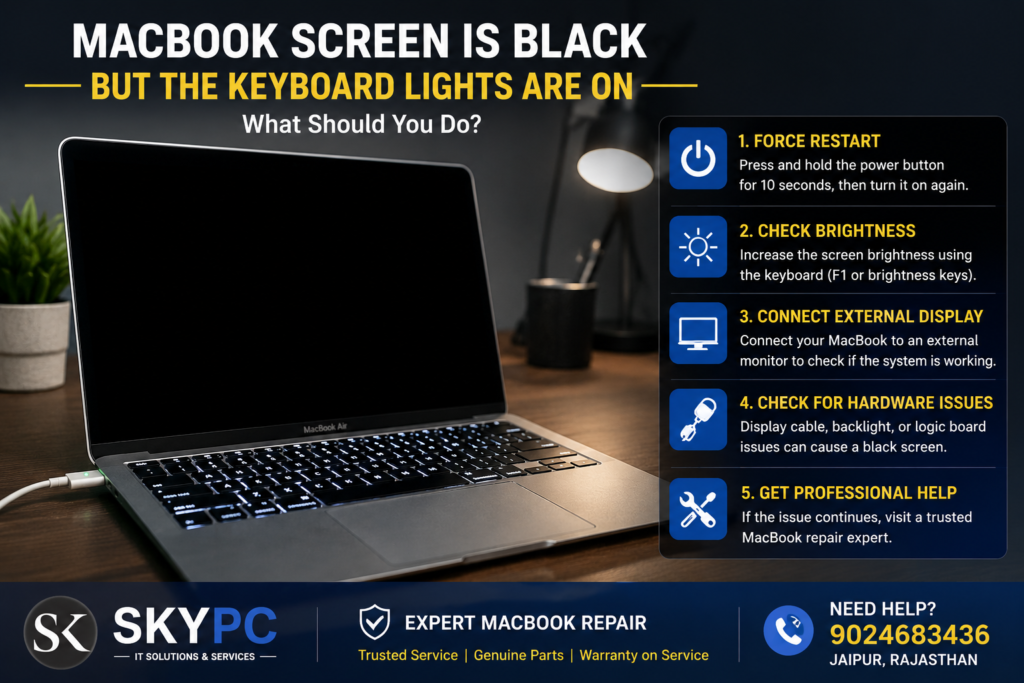
Step-by-Step Troubleshooting
Check Screen Brightness
Increase the brightness using the keyboard controls.
Force Restart the MacBook
Hold the Power button for about 10 seconds.
Restart the MacBook.
Connect an External Display
Use an external monitor or TV.
If the external display works:
- The MacBook is running.
- The problem is likely with the internal display, display cable, or backlight.
Disconnect External Devices
Remove:
- USB devices
- External monitors
- Docking stations
- Memory cards
Restart the MacBook.
Reset NVRAM (Intel-based Macs)
For Intel MacBooks, resetting NVRAM may resolve display configuration issues.
Reset SMC (Intel-based Macs)
The System Management Controller manages power, charging, and some display-related functions.
Check for Physical Damage
Inspect the screen for:
- Cracks
- Pressure marks
- Liquid stains
- Broken hinges
When Should You Visit a Repair Center?
Seek professional help if:
✅ The screen stays black after restarting.
✅ The keyboard lights work but nothing appears on the display.
✅ The MacBook works with an external monitor only.
✅ The screen flickers before turning black.
✅ There has been accidental damage or liquid exposure.
How SKYPC Can Help
At SKYPC, we diagnose MacBook display problems using professional testing procedures.
Our services include:
- MacBook Display Diagnosis
- Retina Display Replacement
- Display Cable Repair
- Logic Board Repair
- Backlight Repair
- Water Damage Repair
- macOS Troubleshooting
- Data Backup Assistance (where possible)
Why Choose SKYPC?
Apple Device Specialists
Experienced technicians for MacBook Air and MacBook Pro models.
Transparent Diagnosis
We identify the exact cause before recommending repairs.
High-Quality Replacement Parts
We use reliable components compatible with your MacBook model.
Pickup & Delivery Across Jaipur
Convenient pickup and delivery options are available for eligible repair requests.
MacBook Models We Support
- MacBook Air M1
- MacBook Air M2
- MacBook Air M3
- Intel MacBook Air
- MacBook Pro 13-inch
- MacBook Pro 14-inch
- MacBook Pro 15-inch
- MacBook Pro 16-inch
Why is my MacBook screen black but the keyboard lights are on?
This may be caused by a display cable issue, backlight failure, damaged display, software crash, or logic board problem.
Can a black MacBook screen be repaired?
Yes. The solution depends on the root cause. Some issues can be resolved through software troubleshooting, while others require hardware repair or display replacement.
How do I know if my MacBook display is damaged?
Signs include cracks, black spots, vertical lines, flickering, or a completely black screen even though the MacBook powers on.
Will connecting an external monitor help?
Yes. If an external monitor displays normally, the issue is likely with the MacBook’s internal display, display cable, or backlight.
Do you repair MacBook black screen issues in Jaipur?
Yes. SKYPC provides professional diagnosis and repair for MacBook display, backlight, display cable, and logic board issues across Jaipur.
Contact SKYPC
Need MacBook Black Screen Repair in Jaipur?
📞 Call: 9024683436
📍 Jaipur, Rajasthan
Our Apple Services
- MacBook Screen Replacement
- Retina Display Repair
- Display Cable Repair
- Logic Board Repair
- Battery Replacement
- Water Damage Repair
- macOS Support
SKYPC – Trusted MacBook Repair Experts in Jaipur